
Here's the mistake almost everyone makes: they treat CAPI setup as a one-time technical task, like installing a plugin. Connect the Pixel, tick the box, move on. But CAPI doesn't improve anything by existing — it improves lead quality only when it's fed a steady, accurate stream of real outcomes. A CRM that's "connected to CAPI" but only ever sends one generic "lead received" event is barely better than having no CAPI at all, because Meta still has no idea which leads were actually worth anything.
Improving lead quality with CAPI is really about one thing: teaching Meta's algorithm to tell your good leads apart from your bad ones, using data only you have. Everything below is the practical version of how to do that properly.
Why lead quality quietly drops without proper CAPI feedback
Every ad platform's job is to find more people who look like the people who already converted. Without CAPI — or with CAPI sending only shallow signals — Meta only has one data point to learn from: "a form was filled." It has no way of knowing whether that person picked up the phone, whether they were a real buyer, or whether they were a bot, a competitor, or someone who typed a fake number to get past the form.
So Meta keeps optimising toward "people who fill forms" — not "people who buy." Over weeks, that gap widens. Your cost per lead can even look fine on the surface while the leads underneath get progressively less serious, because the algorithm was never told the difference.
The 5 steps to actually improve lead quality with CAPI
None of these steps are complicated on their own. What matters is doing all five — most businesses do the first one and stop, which is why CAPI often gets blamed for "not working" when the real issue is it was never given anything to work with.
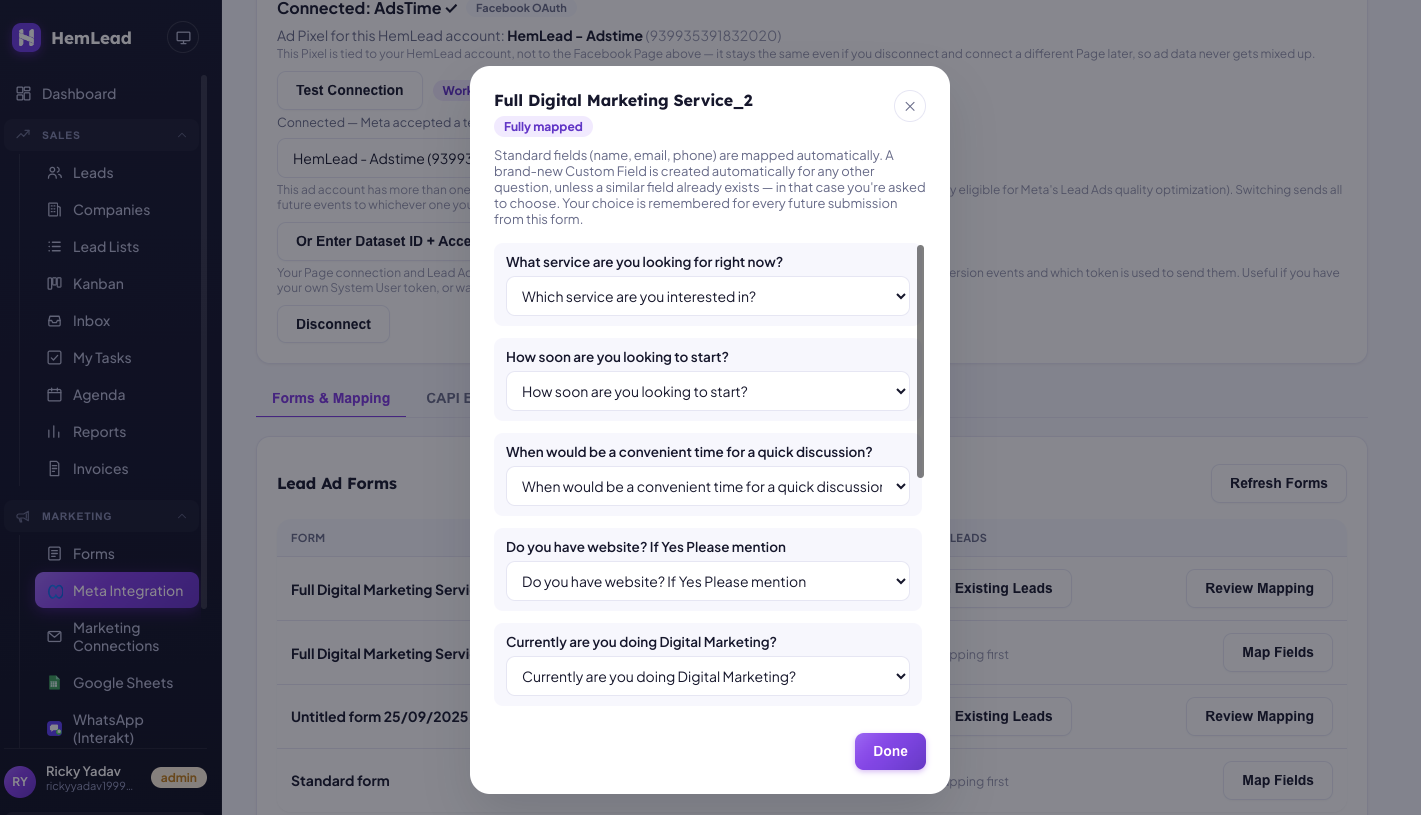
The Map Fields screen (Step 1) — standard fields match automatically, and every other question gets its own custom field, so nothing arrives unmapped.
Here's the connection itself — HemLead's own Meta Integration page, showing a working connection and mapped forms:
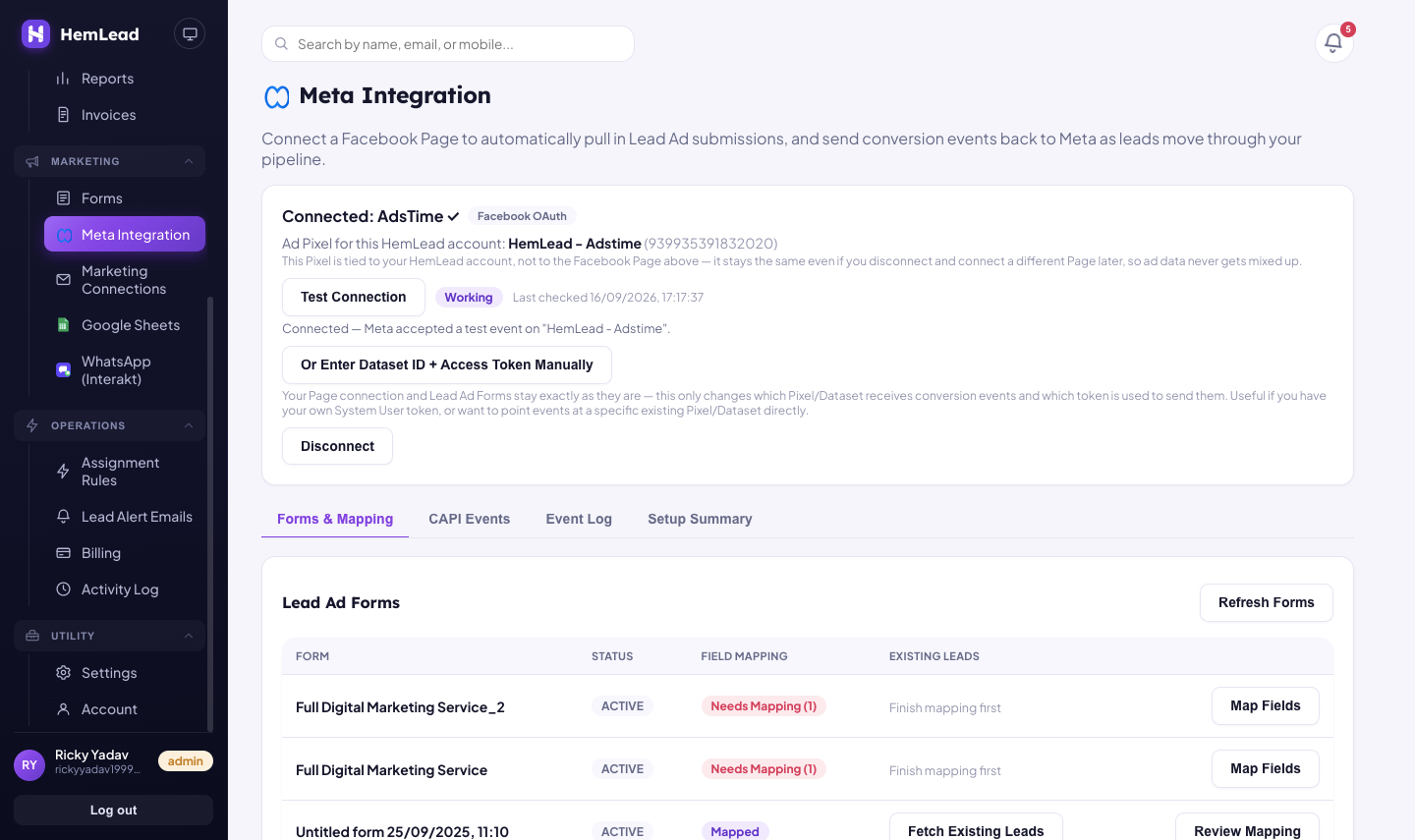
A working connection is step one — but a "Working" badge only means the pipe is open, not that quality events are flowing through it yet.
And here's step 2 in practice — mapping each pipeline stage to the Meta Conversion Event it should fire, which is exactly what turns a generic "Lead" event into real quality signal:
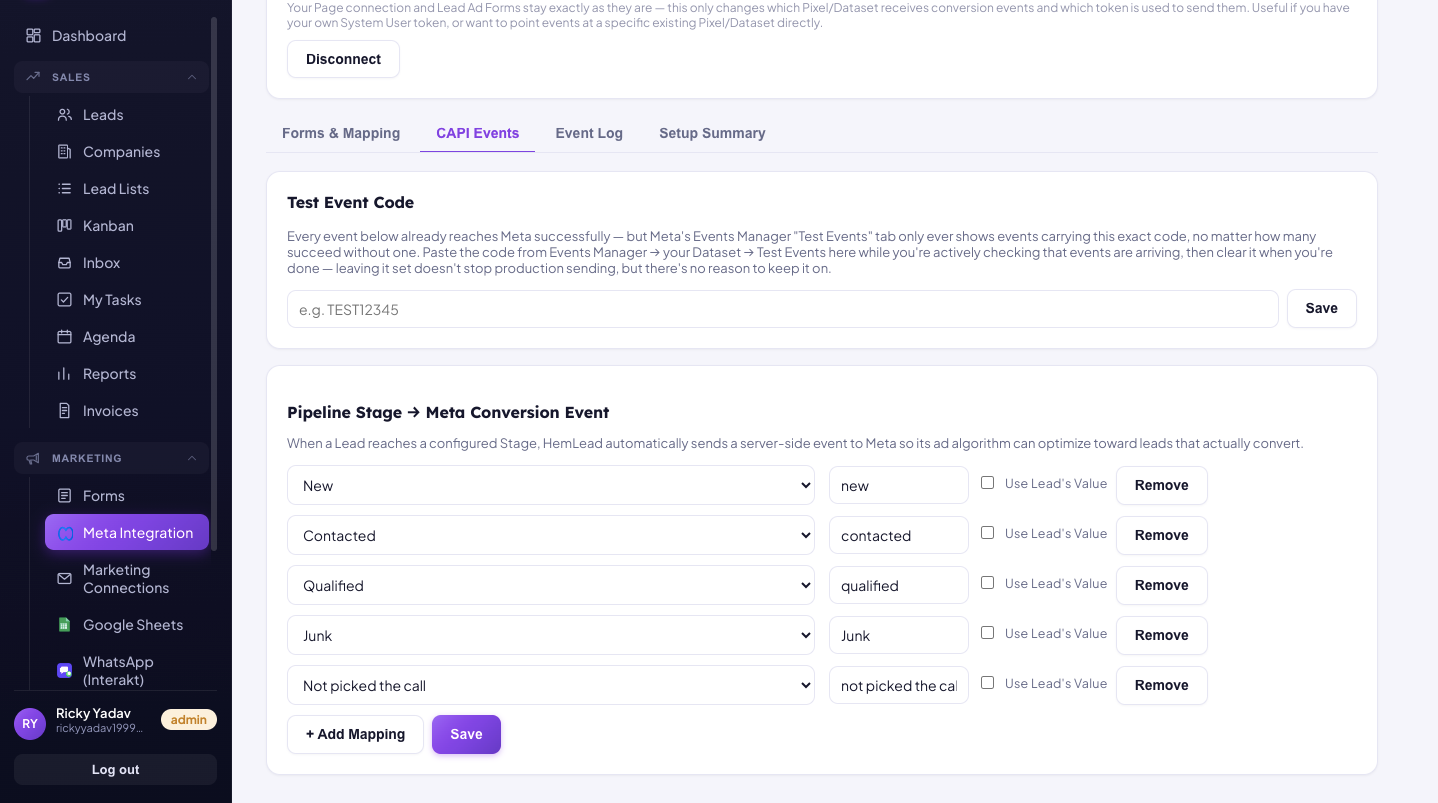
Each pipeline stage — New, Contacted, Qualified, Junk, Not Picked The Call — maps to its own Meta Conversion Event here. This is the actual "fire the right events" step from above.
Common mistakes that quietly cancel out CAPI's benefit
These are the reasons CAPI sometimes gets blamed for not improving lead quality, when the real problem was in how it was set up:
How long it takes, and what "working" actually looks like
Set expectations correctly here, because this is where most people give up too early. CAPI doesn't halve your cost per lead the day it's switched on — it works by feeding Meta's algorithm better data, and algorithms need a real volume of events before that data becomes useful.
| Timeframe | What's actually happening |
|---|---|
| Week 1 | Connection live, events firing — too little data yet for Meta to act on it. Nothing should look different in your ad results. |
| Weeks 2–3 | Enough Qualified/Junk/Won events have built up for the algorithm to start noticing patterns. Early, noisy signs of change. |
| Weeks 4–6 | Cost per qualified lead typically starts moving in the right direction, as targeting shifts toward people who resemble your real converters. |
| Ongoing | Quality keeps improving as long as the event stream stays consistent — this isn't a one-time fix, it's a feedback loop that needs feeding continuously. |
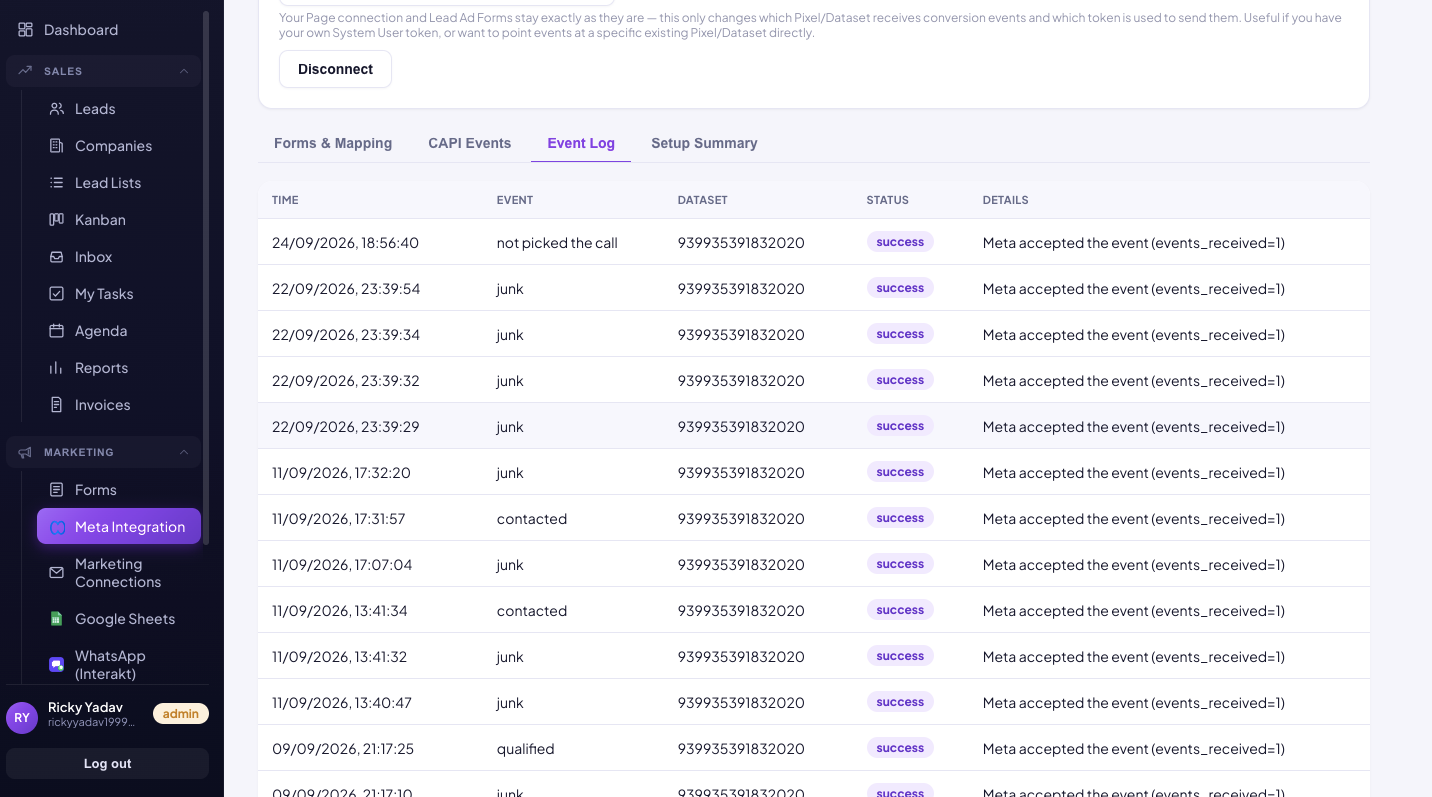
The Event Log — every event, timestamped, with Meta's own accept/fail status next to it. This is what "watching the event log" in Step 4 actually looks like.
A quick honest note
None of this replaces good sales process. CAPI can only report outcomes your team actually records — if reps aren't updating pipeline stages, there's nothing accurate for CAPI to send, no matter how well it's configured. The technical setup and the habit of marking leads promptly matter equally here.